Imagine opening your inbox and seeing a message claiming someone has signed into your Microsoft account from another country. The email tells you to “Verify your account immediately or it will be locked.”
That sounds scary—and that’s exactly what the scammer wants.
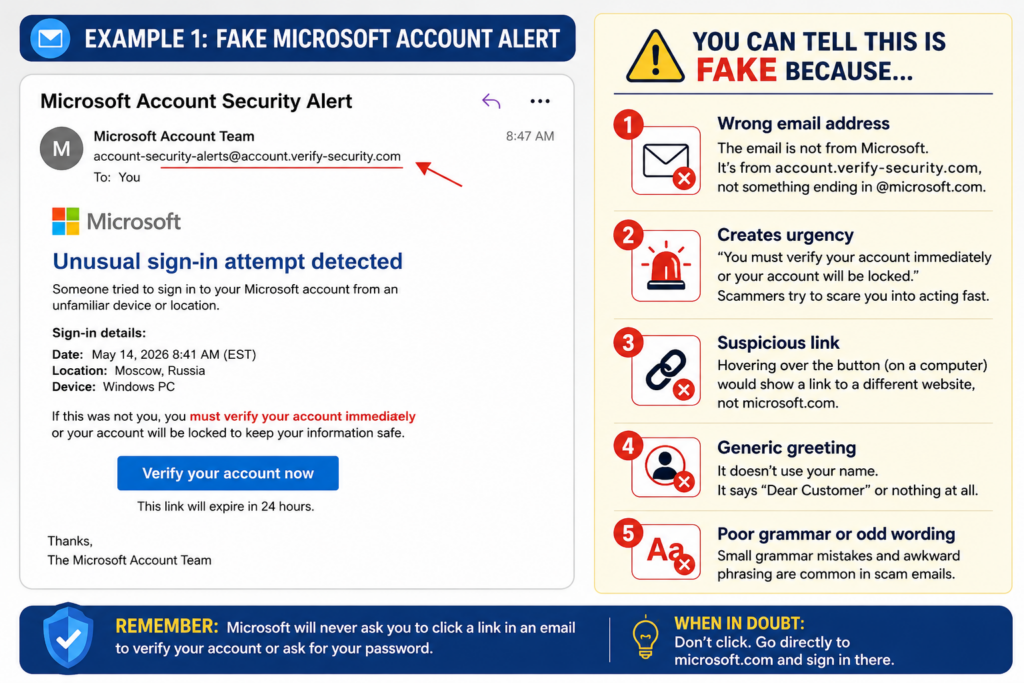
Instead of clicking the button, slow down and look for the warning signs. Is the sender’s email address actually from Microsoft? Is the message trying to scare you into acting immediately? Does it ask you to click a button instead of simply signing in through Microsoft’s official website?
Whenever you receive a message like this, don’t click any links. Open your web browser yourself and visit the company’s official website. If there really is a problem with your account, you’ll usually find a notification there after signing in.
Example #2: A Fake Toll Road Text Message
Another scam that’s become very common in Northern Virginia is the fake toll payment text message. It usually claims you owe a small amount of money—often only a few dollars—and warns that you’ll face late fees or collections unless you pay immediately.
Because the amount is so small, many people pay without thinking twice.
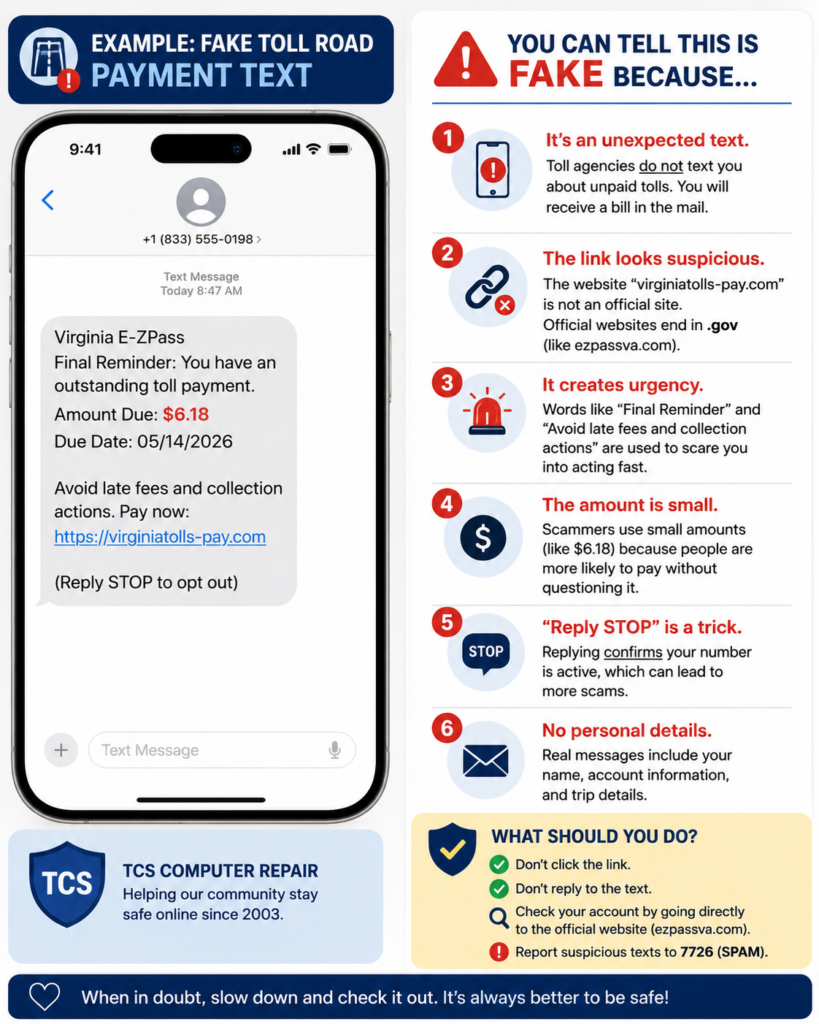
Take a close look before clicking anything. Is the website address unfamiliar? Were you expecting a text message about tolls? Does it create a sense of urgency?
Official agencies generally won’t pressure you into making an immediate payment through a random text message. If you’re ever unsure, visit the official toll agency’s website by typing the address into your browser yourself—not by clicking a link in a text message.
Slow Down Before You Click
The best defense against scams isn’t expensive software—it’s taking a moment to think before you act. Criminals rely on panic, urgency, and curiosity. They want you to click first and ask questions later.
If a message asks you to click a link, provide a password, enter a verification code, or send money, take a minute to verify it’s legitimate. A quick phone call or a visit to the company’s official website could save you hundreds or even thousands of dollars.
At TCS Computer Repair, we tell our customers one simple rule:
When in doubt, don’t click.
If you’re ever unsure whether an email or text message is legitimate, we’d much rather answer a quick question than help recover an account after it’s been compromised.


